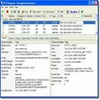
Advanced process manager offering detailed system monitoring, startup control, and online checks for suspicious activity
Advanced process manager offering detailed system monitoring, startup control, and online checks for suspicious activity
Vote (16 votes)
Program license Free
Developer Mister Group
Version 7.1.0
Works under Windows
Vote
(16 votes)
Developer
Mister Group
Works under
Windows
Program license
Free
Version
7.1.0
Pros
- Comprehensive real-time process and resource monitoring
- Deep insight into modules, services, and startup items
- Integrated online process checks and antivirus scanning
- Highly customizable interface and notification options
- Available as both installer and portable versions
Cons
- Advanced features may be overwhelming for beginner users
- Occasional alerts may appear for minor, non-critical changes
- Interface, while functional, is less modern compared to some alternatives
Advanced task manager providing detailed system monitoring and management.
Overview
System Explorer offers an extensive suite of tools for monitoring and managing Windows system activity beyond what standard utilities provide. Designed to deliver real-time insights, this software is aimed at users who need greater visibility and control over processes, system performance, network connections, and startup programs.
User Interface and Navigation
System Explorer features an organized interface that arranges its powerful functions into accessible tabs. The main toolbar lets users switch between Processes, Performance, History, and other views, making it straightforward to locate relevant information. The visual design includes clear graphs and sortable lists, allowing users to quickly interpret data on CPU usage, memory consumption, and disk activity. Further customization options let users tailor the appearance of the performance graphs, which can be especially useful for focusing on key metrics.
Process and Task Management
One of System Explorer’s main strengths is its detailed process monitoring. It not only displays running processes, modules, and associated services, but also allows users to terminate unresponsive tasks, modify their priorities, or manage individual service states. The "Discovered" column, introduced in recent updates, helps identify new or unusual processes at a glance. This enhancement, along with improved detail in module lists, supports better system oversight and troubleshooting.
Security and Insight Tools
System Explorer offers integrated security features for cautious users. Each process can be checked against online resources and antivirus tools directly from within the app, reducing the need to use separate platforms to investigate suspicious activity. Direct lookup options using Google or process libraries further streamline the process of identifying unfamiliar items.
Startup and Autorun Management
The software enables users to manage startup entries effectively. Users have the ability to view, disable, or remove programs that launch at boot, contributing to faster system startup and more controlled resource usage. The autoruns section is detailed, showing not only applications but also drivers and scheduled tasks that can affect system performance.
Performance Monitoring and History
System Explorer tracks system resource usage over time, presenting historical data through detailed graphs. This long-term view is particularly valuable for identifying trends and diagnosing intermittent problems. Reports can be generated to document system status, which is helpful for troubleshooting recurring issues or analyzing the impact of recent changes.
Customization and Additional Features
Configuration options allow users to adjust notifications, display preferences, and update settings to suit a wide range of workflows. System Explorer is available in both installer and portable formats, ensuring flexibility for professionals who work on multiple machines or prefer not to make permanent changes to a system.
Performance and Resource Usage
Despite its comprehensive feature set, System Explorer is optimized to minimize its own footprint. Background resource usage is modest, and the program is responsive even on aging hardware. Regular updates and community-driven feedback contribute to improved stability and functionality.
Pros
- Comprehensive real-time process and resource monitoring
- Deep insight into modules, services, and startup items
- Integrated online process checks and antivirus scanning
- Highly customizable interface and notification options
- Available as both installer and portable versions
Cons
- Advanced features may be overwhelming for beginner users
- Occasional alerts may appear for minor, non-critical changes
- Interface, while functional, is less modern compared to some alternatives